figma community
Galley.
Figma plugin · A frame’s text, as a table you can edit
the problem
The copy lives in the layers. The writers don’t.
Editing copy in Figma means hunting through the layer tree, double-clicking into one text box at a time, and hoping you found them all. Writers either need a design seat and a lot of patience, or they send a document and the designer retypes every string by hand. Nobody reviews a screen’s words as a whole, because there is no place to see them as a whole.
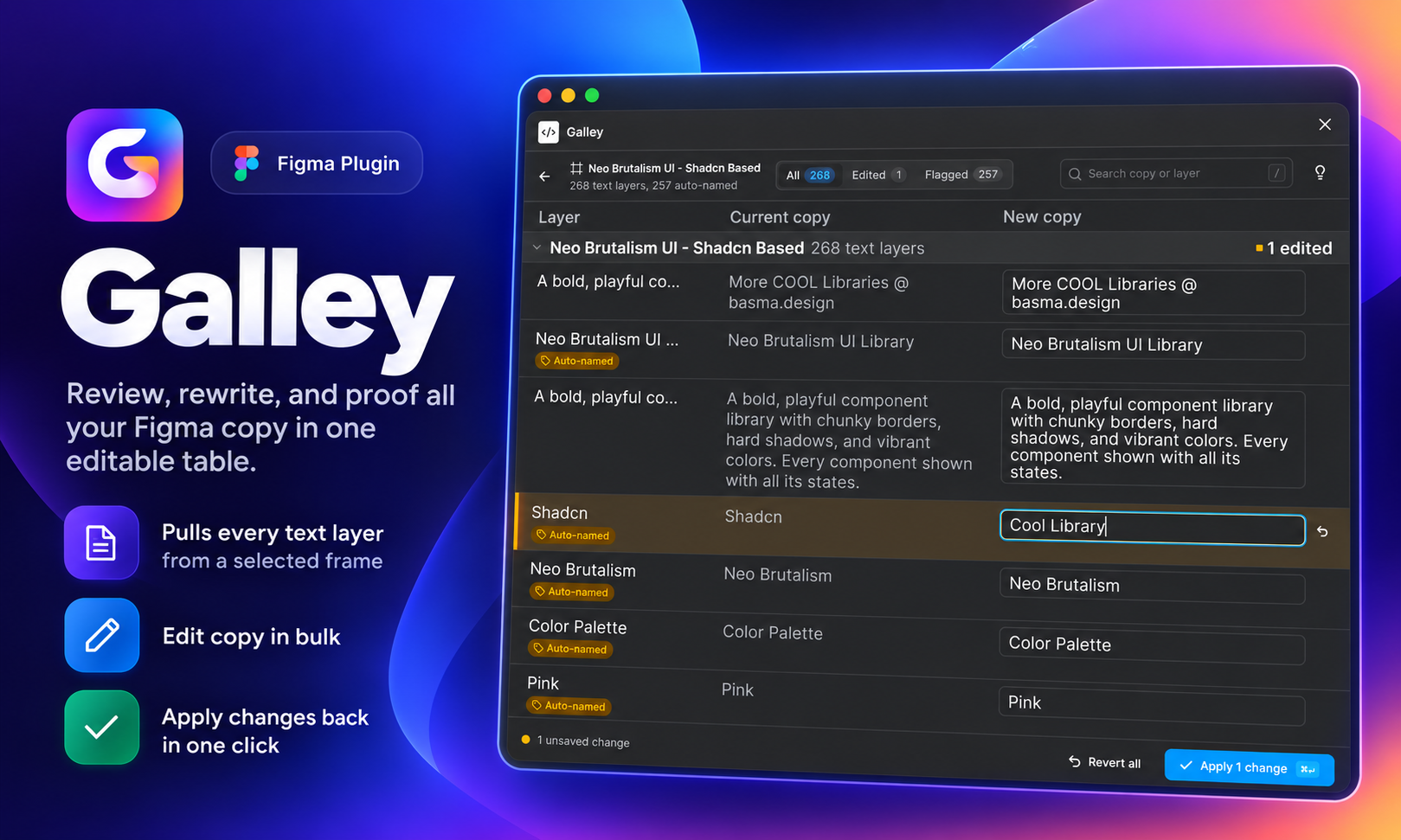
Galley gives them that place. Select a frame and every text layer inside it lands in one editable table. Change the words there, apply, and they go back to the right layers. Galley started life as Copydeck; same plugin, better name.
how it works
Select, edit, apply.
Select
Pick a frame. Galley scans the text layers inside it, including the nested ones, and lists each one by layer name.
Edit
Every string sits in one table next to its layer. Edit inline, read the whole screen’s copy together, and catch the inconsistencies you only see side by side.
Apply
Galley writes the edited copy back to the matching layers. No hunting, no retyping, no missed strings.
why it matters
Made for the words, not the pixels.
One place for all the copy
A screen’s words, together, in a format writers already know how to read.
Writers and designers, same strings
The edit happens once, in the table, and lands in the file. No document-to-Figma retyping.
Fewer missed layers
Nested text layers show up in the table too, so the string buried three groups deep gets the same edit as the headline.
Free on Figma Community
Install it, select a frame, start editing.